Flare-On 12 Challenge 7 Writeup - The Boss Needs Help
Bag of Tricks: IDA, Wireshark, Python, CyberChef, System Informer
Challenge 7
Recon
We receive an executable and a pcap, the executable is on the larger side - 4MB and the pcap looks to contain a few hundred packets as well.
PCAP Recon
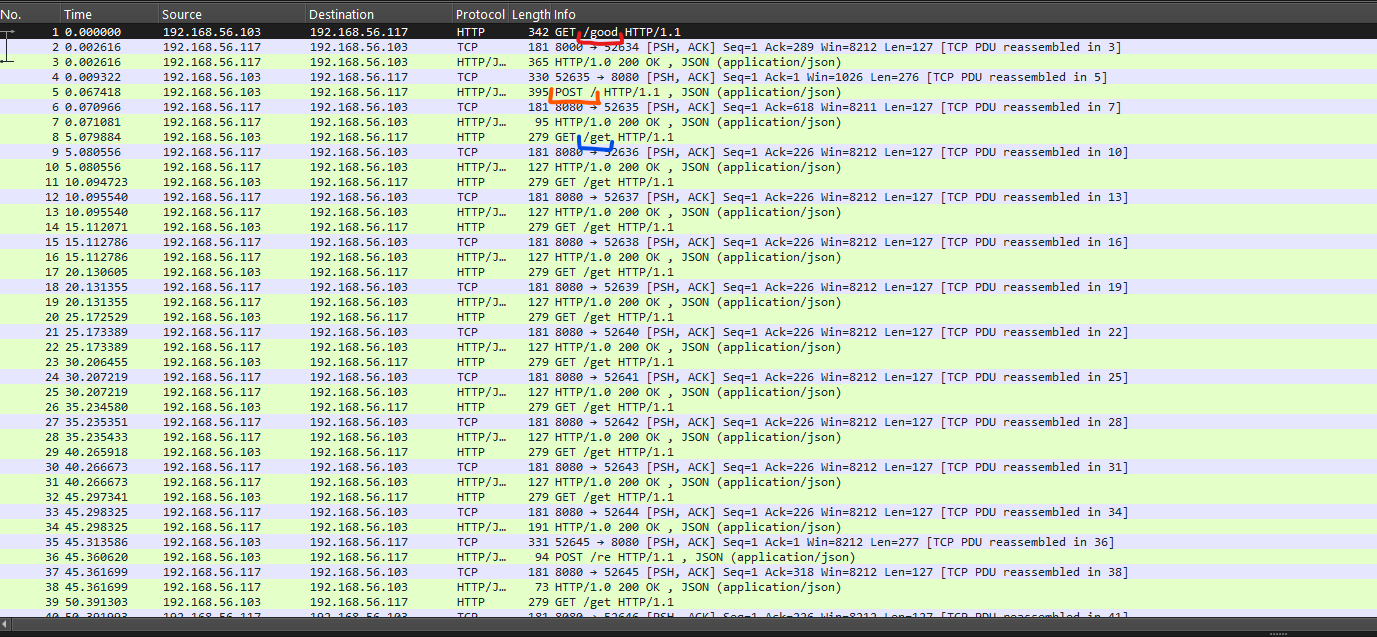
It appears there is a client (192.168.56.103) and a server (192.168.56.117) both sitting on a local network communication via HTTP 1.1. The first one to initiate the communication is the client, with some sort of GET to /good and after an 200 OK from the server and an unusual POST the communication seems to be very predictible:
client ➡️ server GET /get server ➡️ client 200 OK with a JSON response
This looks like typical malware communication, first a bot/agent hello (via /good) and after that constant polling every 5 seconds (peep the times).
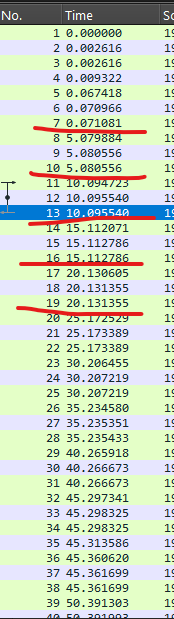
So most likely the client is telling the server it’s ready for a command (the server being the C2) and after receiving one (via encrypted JSON) the client does it. 
Some commands ask the client to return data to the server, and the client does that on it’s own time via GET /re
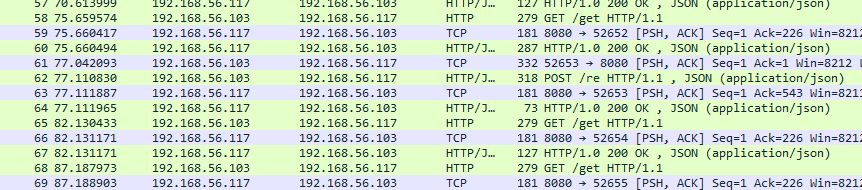
You can see the GET /re gets the client/server out of the % 5 seconds sync, so the command probably took about 2 seconds to execute client-side.
Different URLS
One more interesting thing is that the first hello the client/agent sends the server/C2 has 2 unique things:
- The URL is different (being twelve.flare-on.com:8000 instead of theannualtraditionofstaringatdisassemblyforweeks.torealizetheflagwasjustxoredwiththefilenamethewholetime.com:8080 on all other requests)
- We have an auth bearer, being some hash looking thing.
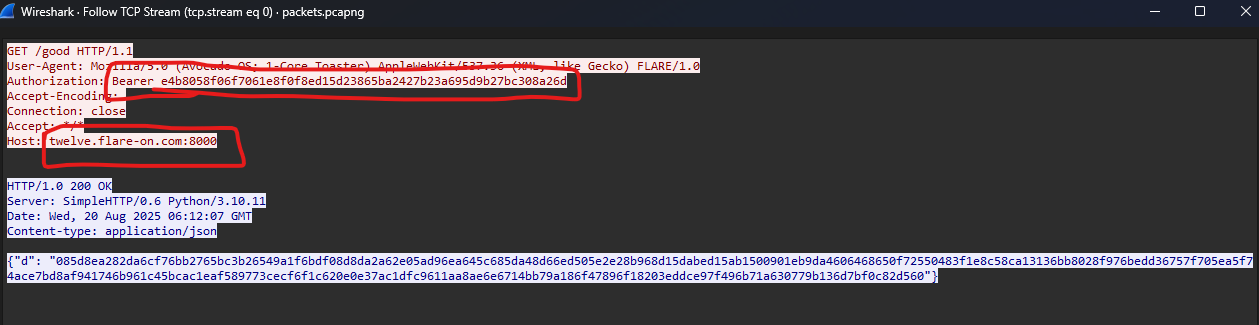
The ones with sharp eyes will see that the bearer is no hash, and actually shorter than a regular hash:
1
2
>>> len('e4b8058f06f7061e8f0f8ed15d23865ba2427b23a695d9b27bc308a26d') / 2
29.0
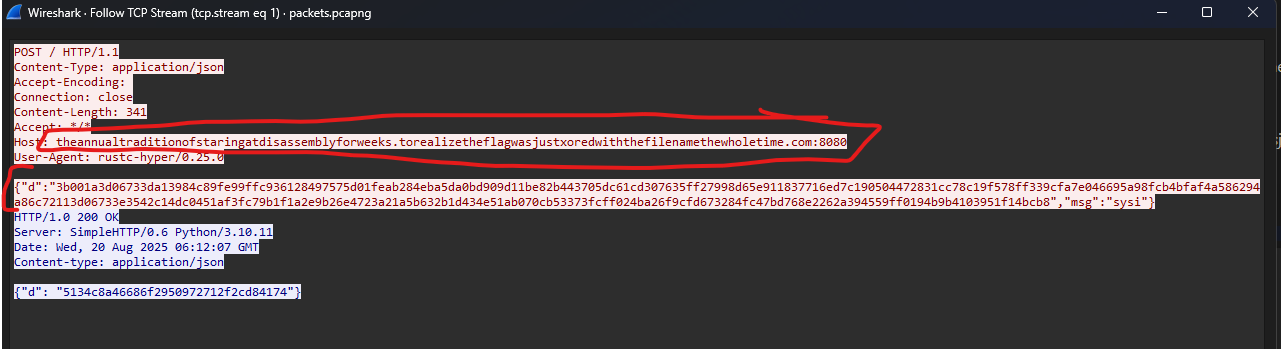
Regarding the first unusual POST, it appears to be one of the only packets the client sends the server an encrypted JSON (besides all /re requests) and also the first packet the second URL appears in.
Assumptions & Conclusions
❓The first packet is the client hello, after that the 2 exchange info/keys and switch to regular communication.
❓ Almost every packet after the first ones contains a server response of
{"d": "85a131bdef4d0cd3ae36aaf5984ceee068f131de94f2b7f44bec46104f2584e4"}. Because we are assuming the server is some sort of C2, the JSON I just pasted is probably an encrypted heartbeat.
Conclusion ➡️ We need to write a fake server, so the client can receive the encrypted requests and parse them correctly. This way we can investigate and find decrypted encryption keys
Conclusion ➡️ This challenge contains multiple layers, the default heartbeat JSONS change a couple of times in the PCAP, and assuming my first assumption is correct there are at least 3 layers.
Executable Recon
Opening the executable in IDA takes a while, that’s probably because it has more than 1000 procedures, and at least a few HUGE ones that look like this:
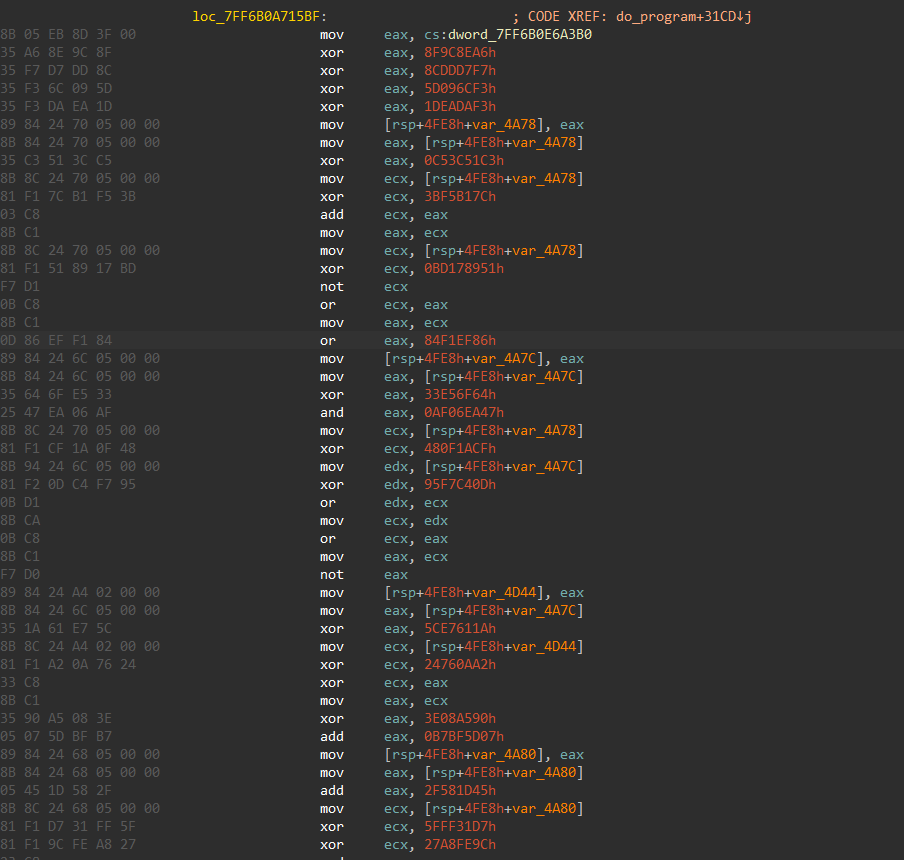
This is probably obfuscated using some compiler rule/script, and does nothing. The downside is that is breaks my decompiler :(
Looking at the imports there are a few malware related info-gathering functions: 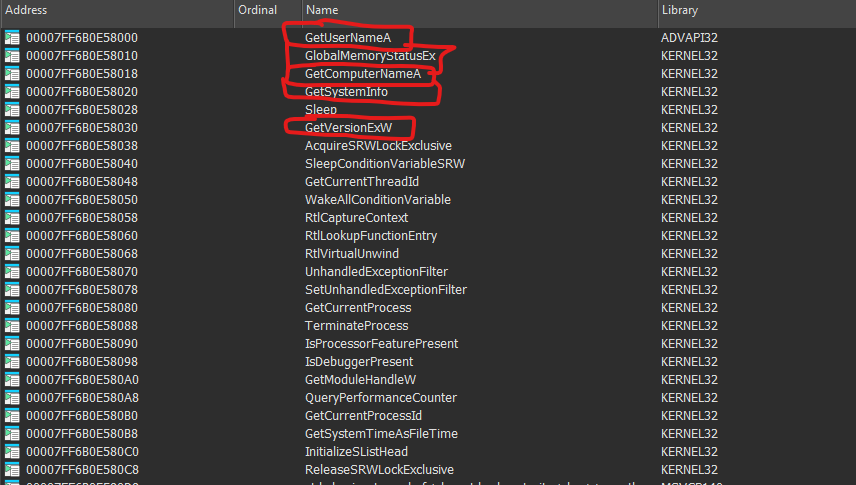
And a few networking functions, as expected. At least the imports are not resolved dynamically 😅.
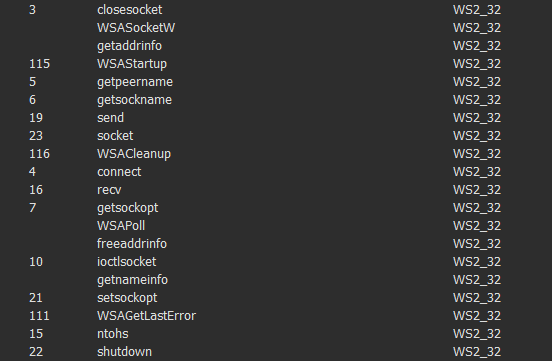
I didn’t see any JSON parsing import/loaded module. So the parsing is either proprietary or using a dynamically loaded library or a statically compiled one.
Writing a Fake HTTP Server
1
2
3
4
5
6
7
8
9
10
11
12
13
14
15
16
17
18
19
20
21
22
23
24
25
26
27
28
29
30
31
32
33
34
35
36
37
38
39
40
41
42
43
44
45
46
47
48
49
50
51
52
53
54
55
56
57
58
#!/usr/bin/env python3
import argparse, os, time
from flask import Flask, request, make_response

app = Flask(__name__)
os.makedirs("received_requests", exist_ok=True)

SPECIAL_JSON = '{"d": "085d8ea282da6cf76bb2765bc3b26549a1f6bdf08d8da2a62e05ad96ea645c685da48d66ed505e2e28b968d15dabed15ab1500901eb9da4606468650f72550483f1e8c58ca13136bb8028f976bedd36757f705ea5f74ace7bd8af941746b961c45bcac1eaf589773cecf6f1c620e0e37ac1dfc9611aa8ae6e6714bb79a186f47896f18203eddce97f496b71a630779b136d7bf0c82d560"}'

def log_request(req):
    ts = int(time.time() * 1000)
    fn = f"received_requests/{ts}_{req.remote_addr.replace(':','_')}_{req.method}.log"
    with open(fn, "wb") as fh:
        fh.write(f"{req.method} {req.path} HTTP/1.1\n".encode())  # log stays same
        for k, v in req.headers.items():
            fh.write(f"{k}: {v}\n".encode())
        fh.write(b"\n---BODY---\n")
        fh.write(req.get_data() or b"")
    print("[LOG] saved ->", fn)

@app.route("/", defaults={"path": ""}, methods=["GET","POST","PUT","DELETE","OPTIONS","PATCH","HEAD"])
@app.route("/<path:path>", methods=["GET","POST","PUT","DELETE","OPTIONS","PATCH","HEAD"])
def catch_all(path):
    log_request(request)
    print(request.data)
    global COUNT

    if request.path == "/good":
        # Force HTTP/1.0
        resp = make_response(SPECIAL_JSON, 200)
        resp.headers["Content-Type"] = "application/json"
        resp.headers["Server"] = "SimpleHTTP/0.6 Python/3.10.11"
        resp.headers["Date"] = "Wed, 20 Aug 2025 06:12:07 GMT"
        resp.environ = request.environ.copy()  # copy env for WSGI
        resp.environ['SERVER_PROTOCOL'] = 'HTTP/1.0'  # key change

        print(SPECIAL_JSON)
        return resp

    else:
        resp = make_response(RECEIVED, 200)
        resp.headers["Content-Type"] = "application/json"
        resp.headers["Server"] = "SimpleHTTP/0.6 Python/3.10.11"
        resp.headers["Date"] = "Wed, 20 Aug 2025 06:13:40 GMT"
        resp.environ = request.environ.copy()  # copy env for WSGI
        resp.environ['SERVER_PROTOCOL'] = 'HTTP/1.0'  # key change

        print(RECEIVED)
        return resp

    breakpoint()


if __name__ == "__main__":
    parser = argparse.ArgumentParser()
    parser.add_argument("--port", type=int, default=8080, help="port to listen on")
    args = parser.parse_args()
    app.run(host="0.0.0.0", port=args.port)
The code is indeed spaghetti, but that’s okay. Now we can finally move on to running the binary!
Investigating the JSON.parse exception
I lied, before investigating further we’ll get the setup down
Running the proxies
1
2
3
4
5
6
7
8
> python fake_server.py
 * Serving Flask app 'fake_server'
 * Debug mode: off
WARNING: This is a development server. Do not use it in a production deployment. Use a production WSGI server instead.
 * Running on all addresses (0.0.0.0)
 * Running on http://127.0.0.1:8080
 * Running on http://192.168.48.128:8080
Press CTRL+C to quit
1
2
3
4
5
6
7
8
> python .\fake_server.py --port 8000
 * Serving Flask app 'fake_server'
 * Debug mode: off
WARNING: This is a development server. Do not use it in a production deployment. Use a production WSGI server instead.
 * Running on all addresses (0.0.0.0)
 * Running on http://127.0.0.1:8000
 * Running on http://192.168.48.128:8000
Press CTRL+C to quit
We need two instances because only the first packet is received in port 8000, all the other have 8080
Now changing hosts will do the trick:
1
2
3
4
127.0.0.1 twelve.flare-on.com
127.0.0.1 theannualtraditionofstaringatdisassemblyforweeks.torealizetheflagwasjustxoredwiththefilenamethewholetime.com
::1 twelve.flare-on.com
::1 theannualtraditionofstaringatdisassemblyforweeks.torealizetheflagwasjustxoredwiththefilenamethewholetime.com
Debugging the binary
As expected, when running the binary, the first packet is sent and received, but after that we get a JSON parsing exception?
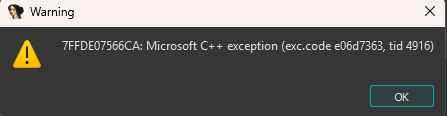
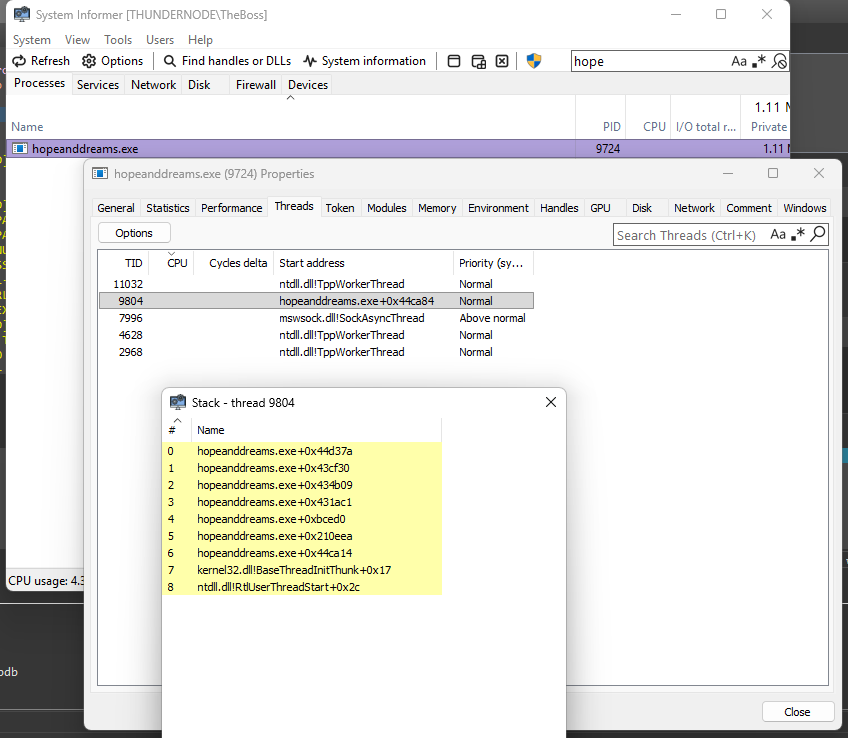
Investigating the callstack using System Informer leads me to the throw function

And we can see from the throw info the error is from the common nlohmann JSON cpp header only library (Thus making my idea from earlier correct, it is statically compiled).
JSON Library Source Reading
Going further up in the callstack, we see the crash happens here, in library code
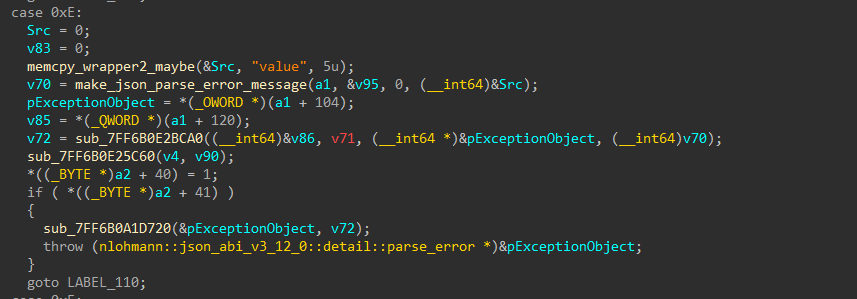
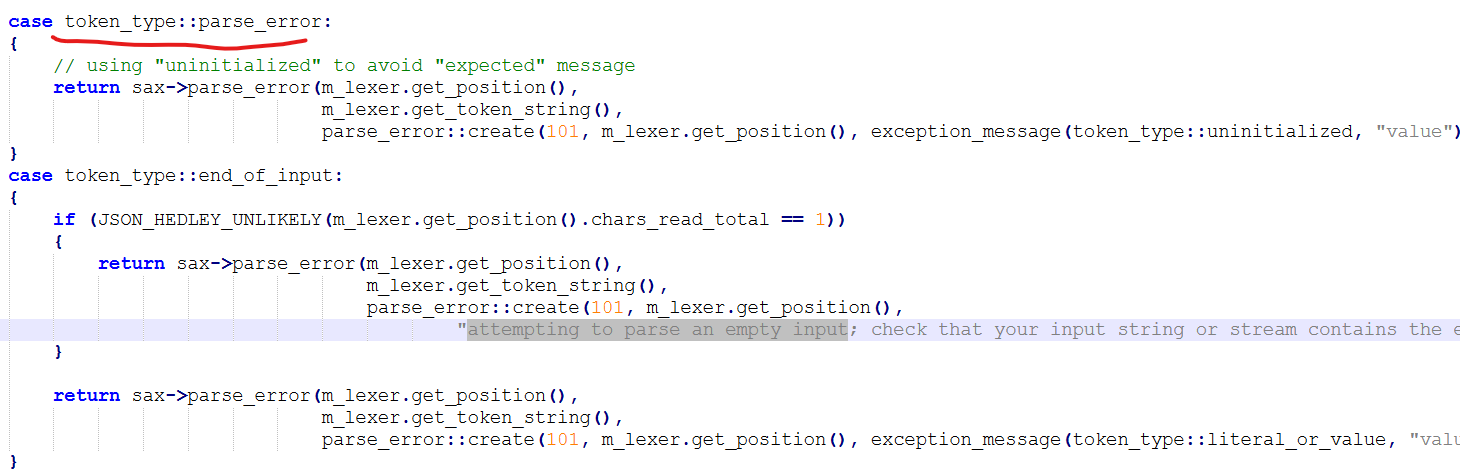
Reading the source code of the library, we can see the error is indeed in the the json parsing
Writing Tests
I wrote a small cpp program that does the following:
1
2
3
4
5
6
7
8
try
{
	std::string json_data = "{\"d\": "085d8ea282da6cf76bb2765bc3b26549a1f6bdf08d8da2a62e05ad96ea645c685da48d66ed505e2e28b968d15dabed15ab1500901eb9da4606468650f72550483f1e8c58ca13136bb8028f976bedd36757f705ea5f74ace7bd8af941746b961c45bcac1eaf589773cecf6f1c620e0e37ac1dfc9611aa8ae6e6714bb79a186f47896f18203eddce97f496b71a630779b136d7bf0c82d560\"}";
	auto parsed_json = json::parse(json_data);
} catch (...)
{
	std::cout << ":(";
}
And it worked fine every single time. When that didn’t work I investigated the compiled copy of nlohmann::json in the challenge binary and gave names to the json_sax_parsing and json_parse functions, to no avail.
Realizing the Response is also a JSON
After realizing this is a void and continuing up the call stack I saw the error was on the first character, how is that possible? I validated 1 billion times the Flask returns a valid json.
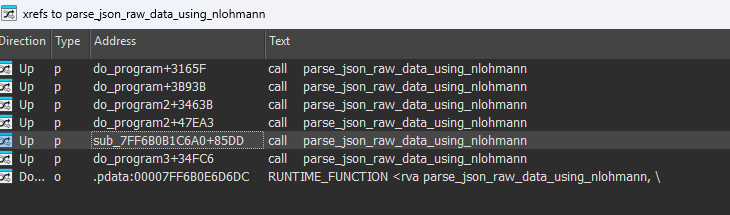
Then I searched who calls nlohmann::json::parse and to my surprise there are 4 big, main looking functions that call it. When putting breakpoints on do_program’s calls to parse_json It seems the json from the packet is parsed, without error, and only then, a gibbrish value is parsed, again, from the second offset (+0x3b93b) before any other HTTP GET is sent.
First call:
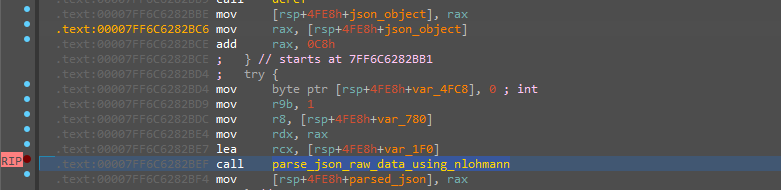
*(json_object+0xc8):

Second call:

json_raw = gibbrish!
To summarize, when a packet is received, it’s parsed as json, then (after much reversing) the following logic happens:
1
2
3
4
send_http_packet()
resp = recv()
first_json = json::parse(resp.data)
json::parse(first_json["d"].decrypt(SECRET))
Understanding Packet Parsing
Decryption with Username@PCName
Now given all the reversing we’ve done, we can go to do_program or our main, packet-sending function and find from where the second call’s json_raw is generated.
- One option to do this is to use VMWare to take a snapshot, then continuing until the second json::parse, writing the address of
json_raw, then restoring and placing a hardware breakpoint onjson_parse. If done correctly, and the breakpoint is not too early we can skip all the obfuscations and find the writer to json_raw.
In this case, just using xrefs is enough (I used this trick in the previous reversing stages).
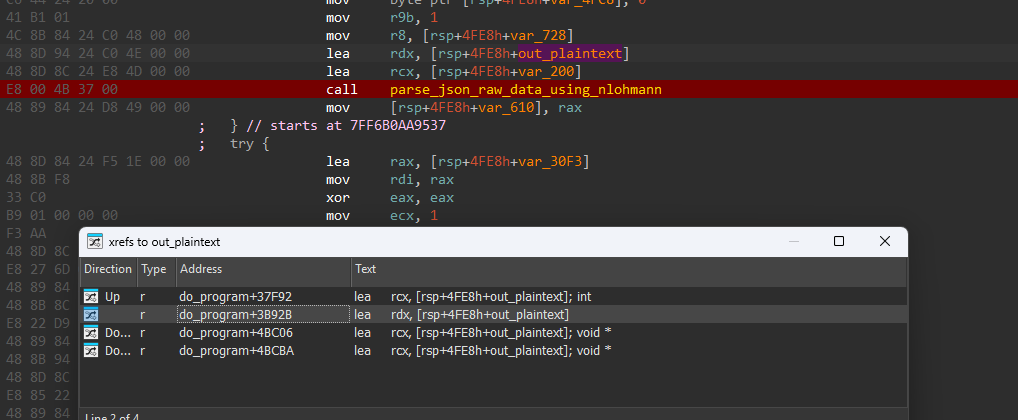
Now, we go up one xref:

Woah, a call to a decryption function. The parameter names I gave are spoilers but when debugging I see the in_ciphertext = first_json["d"] and user_pcname = WINDOWS_USERNAME@WINDOWS_PCNAME (These are the same values stored in the program from it’s first stages, calling GetUserNameA/GetComputerNameA).
To gather my thoughts, the logic is currently:
1
2
3
4
5
send_http_packet()
resp = recv()
first_json = json::parse(resp.data)
second_json = decrypt(first_json["d"], WINDOWS_USERNAME@PCNAME)
json::parse()
And of course, the USERNAME/PCNAME are secret to me, probably need to reverse this encryption.
Reversing the encryption
This is also a huge, obfuscated function. Using tricks from new IDA versions helps out a ton though 😍
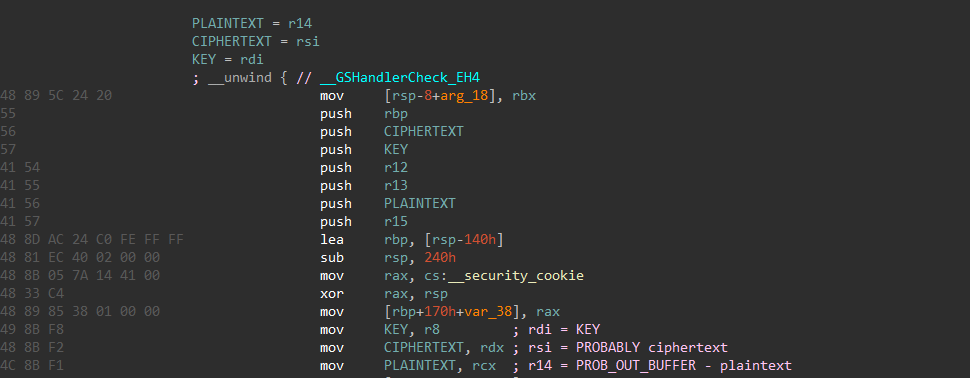
Tracing the calls to the registers, reversing this was straight-forward and simple, but time intensive.



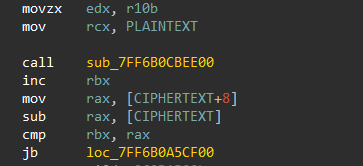
The encryption seems to be rather simple, let’s investigate this weird cipher_block of noise.
It has an initialization/clean functions:
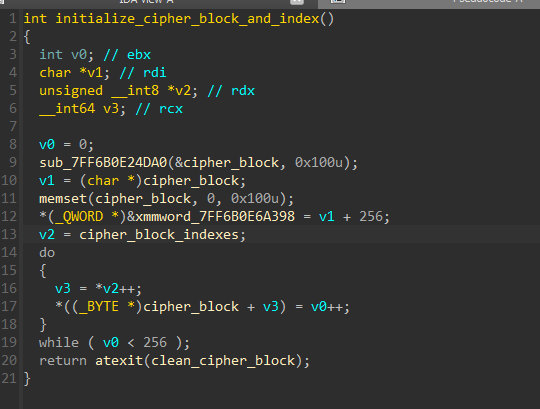
It is initialized from cipher_block_indexes which is basically it’s inverse, and cipher_block_indexes is indeed hardcoded :)
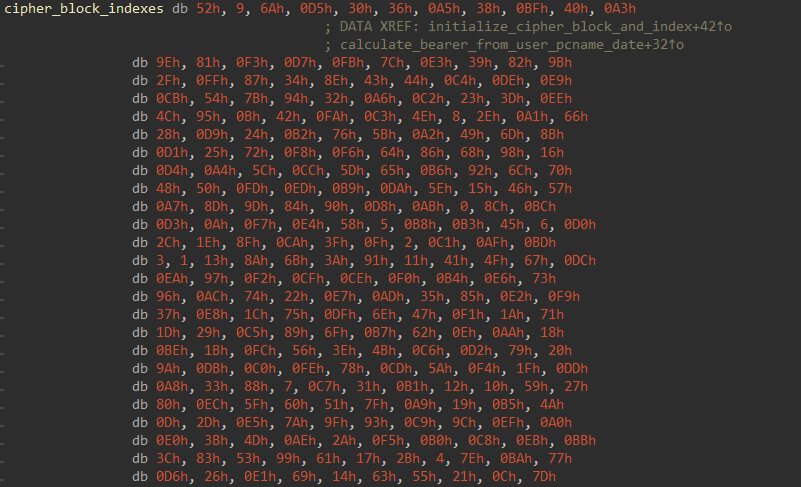
Using all this information we can create the following encryption/decryption logic:
1
2
3
4
5
6
7
8
9
10
11
12
13
14
15
16
17
18
19
20
21
22
23
24
25
26
27
28
29
30
31
32
33
34
35
cipher_block = [99, 124, 119, 123, 242, 107, 111, 197, 48, 1, 103, 43, 254, 215, 171, 118, 202, 130, 201, 125, 250, 89, 71, 240, 173, 212, 162, 175, 156, 164, 114, 192, 183, 253, 147, 38, 54, 63, 247, 204, 52, 165, 229, 241, 113, 216, 49, 21, 4, 199, 35, 195, 24, 150, 5, 154, 7, 18, 128, 226, 235, 39, 178, 117, 9, 131, 44, 26, 27, 110, 90, 160, 82, 59, 214, 179, 41, 227, 47, 132, 83, 209, 0, 237, 32, 252, 177, 91, 106, 203, 190, 57, 74, 76, 88, 207, 208, 239, 170, 251, 67, 77, 51, 133, 69, 249, 2, 127, 80, 60, 159, 168, 81, 163, 64, 143, 146, 157, 56, 245, 188, 182, 218, 33, 16, 255, 243, 210, 205, 12, 19, 236, 95, 151, 68, 23, 196, 167, 126, 61, 100, 93, 25, 115, 96, 129, 79, 220, 34, 42, 144, 136, 70, 238, 184, 20, 222, 94, 11, 219, 224, 50, 58, 10, 73, 6, 36, 92, 194, 211, 172, 98, 145, 149, 228, 121, 231, 200, 55, 109, 141, 213, 78, 169, 108, 86, 244, 234, 101, 122, 174, 8, 186, 120, 37, 46, 28, 166, 180, 198, 232, 221, 116, 31, 75, 189, 139, 138, 112, 62, 181, 102, 72, 3, 246, 14, 97, 53, 87, 185, 134, 193, 29, 158, 225, 248, 152, 17, 105, 217, 142, 148, 155, 30, 135, 233, 206, 85, 40, 223, 140, 161, 137, 13, 191, 230, 66, 104, 65, 153, 45, 15, 176, 84, 187, 22]
cipher_block_inv = [82, 9, 106, 213, 48, 54, 165, 56, 191, 64, 163, 158, 129, 243, 215, 251, 124, 227, 57, 130, 155, 47, 255, 135, 52, 142, 67, 68, 196, 222, 233, 203, 84, 123, 148, 50, 166, 194, 35, 61, 238, 76, 149, 11, 66, 250, 195, 78, 8, 46, 161, 102, 40, 217, 36, 178, 118, 91, 162, 73, 109, 139, 209, 37, 114, 248, 246, 100, 134, 104, 152, 22, 212, 164, 92, 204, 93, 101, 182, 146, 108, 112, 72, 80, 253, 237, 185, 218, 94, 21, 70, 87, 167, 141, 157, 132, 144, 216, 171, 0, 140, 188, 211, 10, 247, 228, 88, 5, 184, 179, 69, 6, 208, 44, 30, 143, 202, 63, 15, 2, 193, 175, 189, 3, 1, 19, 138, 107, 58, 145, 17, 65, 79, 103, 220, 234, 151, 242, 207, 206, 240, 180, 230, 115, 150, 172, 116, 34, 231, 173, 53, 133, 226, 249, 55, 232, 28, 117, 223, 110, 71, 241, 26, 113, 29, 41, 197, 137, 111, 183, 98, 14, 170, 24, 190, 27, 252, 86, 62, 75, 198, 210, 121, 32, 154, 219, 192, 254, 120, 205, 90, 244, 31, 221, 168, 51, 136, 7, 199, 49, 177, 18, 16, 89, 39, 128, 236, 95, 96, 81, 127, 169, 25, 181, 74, 13, 45, 229, 122, 159, 147, 201, 156, 239, 160, 224, 59, 77, 174, 42, 245, 176, 200, 235, 187, 60, 131, 83, 153, 97, 23, 43, 4, 126, 186, 119, 214, 38, 225, 105, 20, 99, 85, 33, 12, 125]

def transform(x: int, key, ind) -> int:
    t = cipher_block[x]
    t = (t + (0xFF - ind)) % 256
    t = (t ^ key[ind % len(key)])

    return t


def untransform(y: int, key, ind) -> int:
    t = y ^ key[ind % len(key)]
    t = (t - (0xFF - ind)) % 256
    x = cipher_block_inv[t]

    return x


def encrypt(enc: bytes, key: bytes) -> bytes:
    tmp = b''

    for i, x in enumerate(enc):
        tmp += bytes([untransform(x, key, i)])

    return tmp


def decrypt(enc: bytes, key: bytes) -> bytes:
    tmp = b''

    for i, x in enumerate(enc):
        tmp += bytes([transform(x, key, i)])

    return tmp
I created cipher_block by debugging and grabbing it from memory after initialization but inversing the inverse also works.
Using the Valid JSON as Crib to Bruteforce Encryption Keys
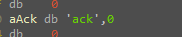
I spent a lot, and I mean a lot of time scripting a viable brute force solution to this problem, knowing the plaintext must be a valid JSON is not a large enough crib, and I thought because just after the second ::parse call there is a does_key_exist("ack") that the JSON structure has to be {"ack": "} I spend way too long trying to bruteforce parts of the username/computer name.
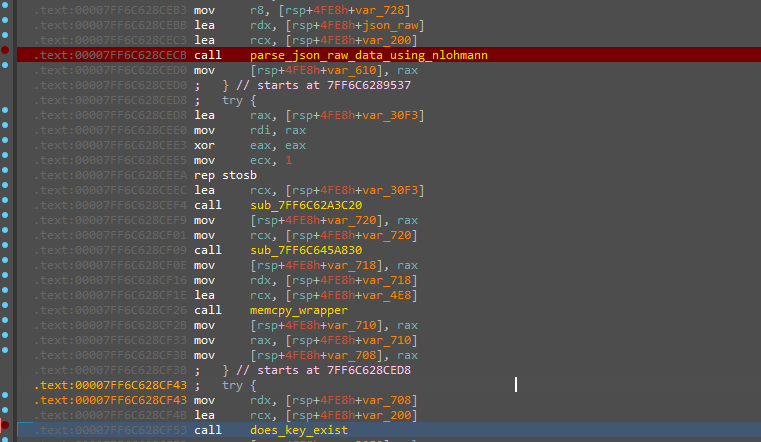
After a while, I realized this is probably not the way, we had a math challenge just last level and there can only be one math focused challenge each year (haha). Thus, I resulted to searching other xrefs to said username/computer name.
Authentication Bearer
Going up 1 xref from the decrypt_json call I’ve found a str.concat call with the current date of the system, in this format:
YYYYMMDDHH resulting in ➡️ dateUSERNAME@PCNAME
Going down 1 xref from that result we see this call

probably not it, continuing..

Ignoring the spoiler name, this one takes in the dateUSERNAME@PCNAME string and some params and returns a rather weird looking string, starting in \xe4. Before reversing, when looking at the params, I see that the length is 0x1d, or 29. Then I remembered something from the recon phase, the bearer is 29 bytes long! Now revealing the function name in all it’s glory: calculate_bearer_from_user_pcname_date
Reversing the Encoding
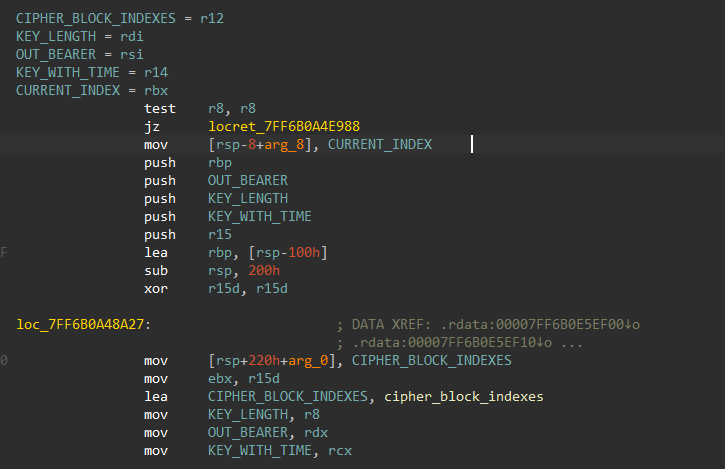
Okay, same format as decrypt_json but this time we have the key and I’m a pro at reversing these functions.
- peep that
cipher_block_indexes, the inverse ofcipher_blockis in use
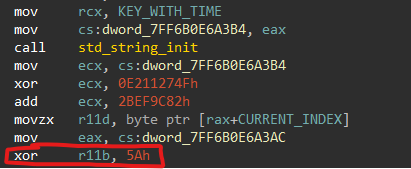

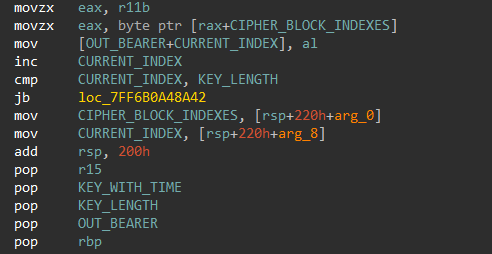
Writing the Decode Flow
Adding to the script from earlier, that has the cipher_block,cipher_block_indexes:
1
2
3
4
5
6
7
8
9
10
11
12
13
14
15
16
17
18
19
20
21
22
23
24
25
26
27
28
29
def generate_bearer():
    sec = b''

    for i, x in enumerate(b'YYYYMMDDHHUSERNAME@PCNAME'):
        x ^= 0x5A
        x += (i + 1)
        x %= 256
        y = cipher_block_inv[x]

        sec += y.to_bytes(1, 'little')

    return sec

def reverse_bearer():
    sec = b''

    for i, x in enumerate(b'\xe4\xb8\x05\x8f\x06\xf7\x06\x1e\x8f\x0f\x8e\xd1]#\x86[\xa2B{#\xa6\x95\xd9\xb2{\xc3\x08\xa2m'):
        y = cipher_block[x]
        y -= (i + 1)
        y %= 256
        y ^= 0x5a

        sec += y.to_bytes(1, 'little')

    return sec

# Example usage
if __name__ == "__main__":
    print(reverse_bearer())
1
b'2025082006TheBoss@THUNDERNODE'
Bang!
Now decrypting the second json:
1
2
3
4
5
6
7
if __name__ == "__main__":
	key = b"TheBoss@THUNDERNODE"
    ciphertext = bytes.fromhex('085d8ea282da6cf76bb2765bc3b26549a1f6bdf08d8da2a62e05ad96ea645c685da48d66ed505e2e28b968d15dabed15ab1500901eb9da4606468650f72550483f1e8c58ca13136bb8028f976bedd36757f705ea5f74ace7bd8af941746b961c45bcac1eaf589773cecf6f1c620e0e37ac1dfc9611aa8ae6e6714bb79a186f47896f18203eddce97f496b71a630779b136d7bf0c82d560')

    decrypted = decrypt(ciphertext, key)

    print("Decrypted bytes:", decrypted)
1
Decrypted bytes: b'{"sta": "excellent", "ack": "peanut@theannualtraditionofstaringatdisassemblyforweeks.torealizetheflagwasjustxoredwiththefilenamethewholetime.com:8080"}'
Double Bang! 🔫🔫
Finding AES Keys
Now we can continue the program and see the agent sends another packet to the server, but it’s raw data is different, how so?
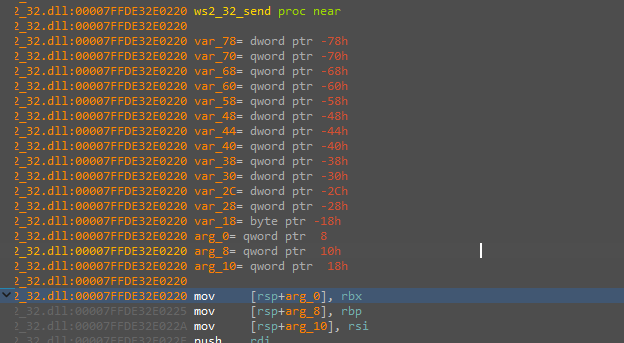

Something I missed in the pcap is that there is a msg field, which is sysi (or system information!!!). I’ll use hardware breakpoints and callstack parsing like we did earlier to find how is this encrypted (I tried running this in my decryption script with no success).
After callstack parsing, VM snapshot tricks and more shenanigans we are met with this call
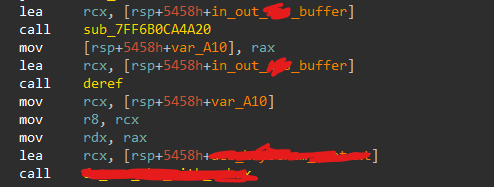
When opening this procedure I let out a sigh of relief, finally, a non-obfuscated crypto function!
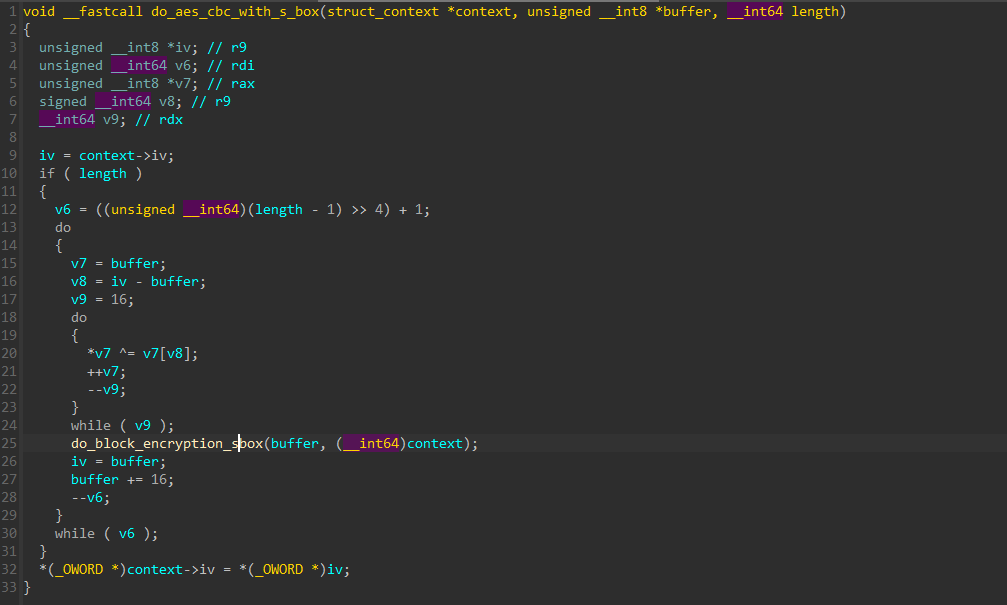
Snippet from the inner function:
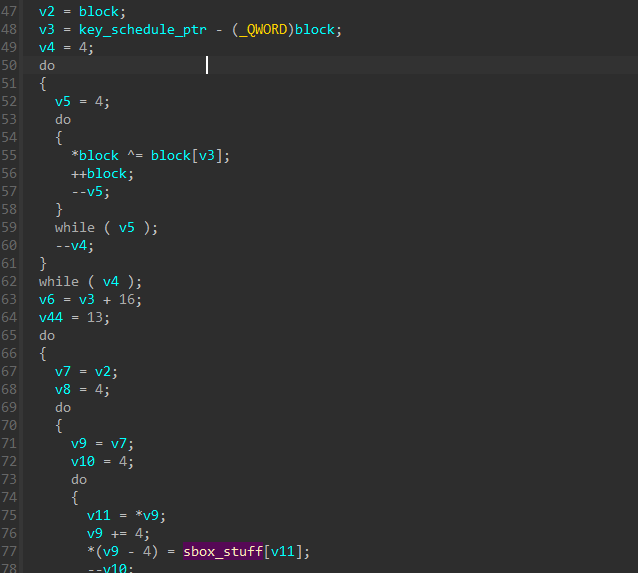
As expected, this looks a lot like aes, and like CBC with SBOX, uses a hardcoded large array with an IV/KEY pair. The array is 256 bytes long.
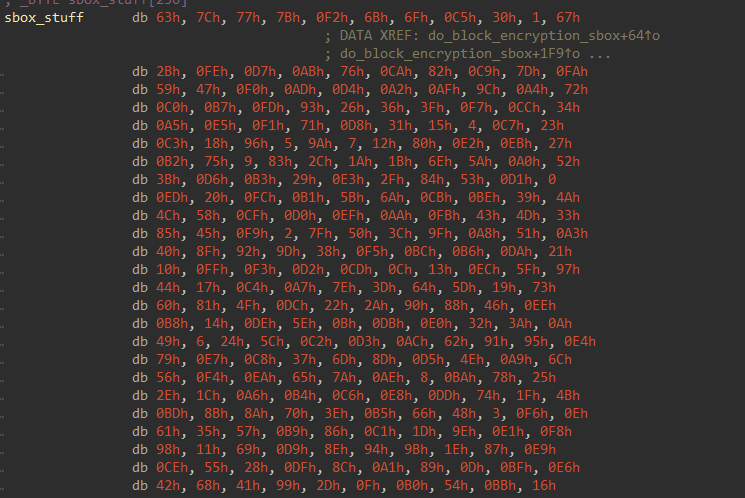
The challenge is obviously not breaking the the encryption, so I’ll search how the key is generated.
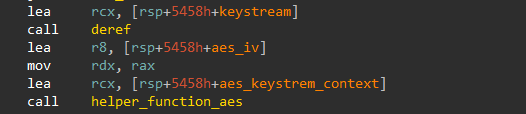
This function doesn’t do anyhting serious, but we see an older keystream variable, let’s trace it.

What does this do? Okay I know the function name and parameter names make it easy but I didnt have them! This function takes in the current hour of the local machine clock, as long with the username from the first packets (peanut) and the USERNAME@PCNAME (TheBoss@THUNDERNODE) and generates a keystream.
I change my machine’s local time and bang, we have our aes key pair! (UTC)
key = 95 AF 8B 09 5B 74 65 F9 05 9D 03 58 BA CC 22 38 50 40 59 A0 BD 79 B4 9B 67 90 A6 62 0A DD 6D 96 IV = 00 01 02 03 04 05 06 07 08 09 0a 0b 0c 0d 0e 0f
Putting these into cyberchef:
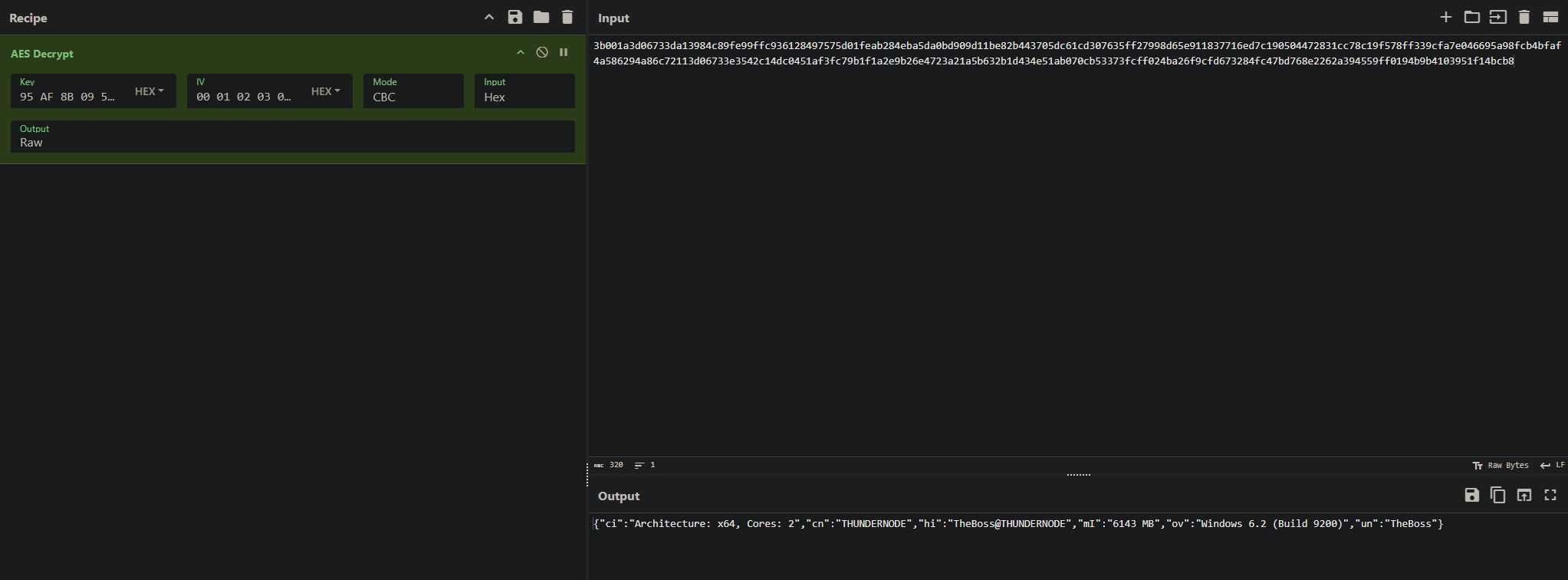
{"ci":"Architecture: x64, Cores: 2","cn":"THUNDERNODE","hi":"TheBoss@THUNDERNODE","mI":"6143 MB","ov":"Windows 6.2 (Build 9200)","un":"TheBoss"}
Nice!!! My VM does in fact have 2 cores and 6 gigs of ram.
Note, I changed the Windows username/system name
Now let’s decrypt the rest of the packets:
- The server sends us
{"sta": "ok"}after the system information
Just as I assumed, the next /get is a heartbeat
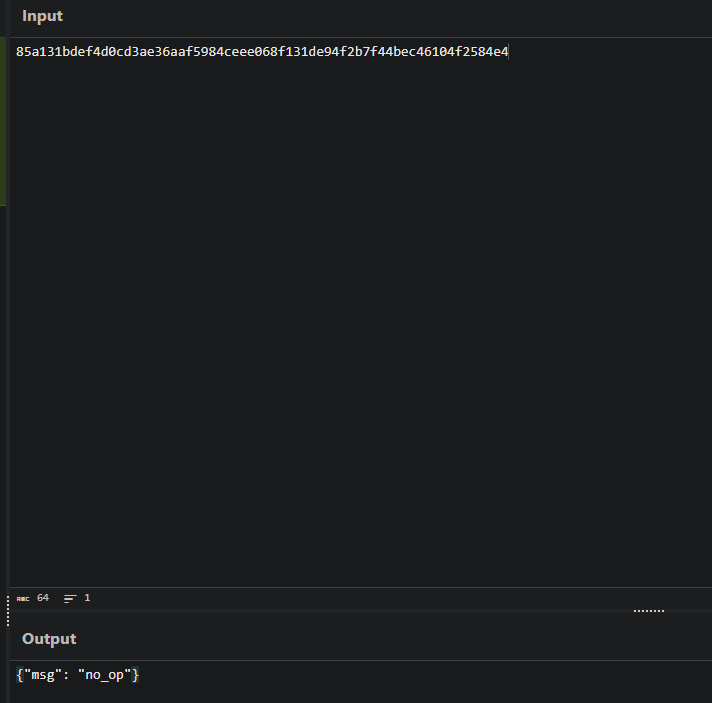
1
2
3
4
5
6
7
8
9
10
11
12
13
14
15
16
17
18
19
20
21
{"ci":"Architecture: x64, Cores: 2","cn":"THUNDERNODE","hi":"TheBoss@THUNDERNODE","mI":"6143 MB","ov":"Windows 6.2 (Build 9200)","un":"TheBoss"}
{"sta": "ok"}
{"msg": "no_op"}
{"msg": "cmd", "d": {"cid": 2, "line": "whoiam"}}
{"msg": "cmd", "d": {"cid": 2, "line": "whoami"}}
{"msg": "cmd", "d": {"cid": 2, "line": "systeminfo | findstr /B /C:\"OS Name\" /C:\"OS Version\""}}
{"op":"OS Name:                   Microsoft Windows 10 Pro\nOS Version:                10.0.19045 N/A Build 19045\n"}
{"msg": "cmd", "d": {"cid": 2, "line": "dir /b C:\\Users\\%USERNAME%\\"}}
{"msg": "cmd", "d": {"cid": 2, "line": "arp -a"}}
{"op":"\nInterface: 1.1.1.1 --- 0x1\n  Internet Address      Physical Address      Type\n  224.0.0.22                                  static    \n  224.0.0.251                                 static    \n  224.0.0.252                                 static    \n  239.255.255.250                             static    \n\nInterface: 192.168.56.103 --- 0x7\n  Internet Address      Physical Address      Type\n  192.168.56.100        08-00-27-ab-e1-14     dynamic   \n  192.168.56.117        08-00-27-93-a7-cc     dynamic   \n  192.168.56.255        ff-ff-ff-ff-ff-ff     static    \n  224.0.0.22            01-00-5e-00-00-16     static    \n  224.0.0.251           01-00-5e-00-00-fb     static    \n  224.0.0.252           01-00-5e-00-00-fc     static    \n  239.255.255.250       01-00-5e-7f-ff-fa     static    \n  255.255.255.255       ff-ff-ff-ff-ff-ff     static    \n"}
{"msg": "cmd", "d": {"cid": 2, "line": "query user"}}
{"op":" USERNAME              SESSIONNAME        ID  STATE   IDLE TIME  LOGON TIME\n>theboss               console             2  Active      none   8/18/2025 8:30 AM\n"}
{"msg": "cmd", "d": {"cid": 2, "line": "dir /b C:\\Users\\%USERNAME%\\Desktop"}}
{"op":"Google Chrome.lnk\nLyrics.lnk\nnotes.txt\nStudio_Masters_Vault.lnk\n_DELETED_STUFF\n"}
{"msg": "cmd", "d": {"cid": 2, "line": "dir /b C:\\Users\\%USERNAME%\\Documents"}}
{"op":"boss_tech_notes.txt\nE_Street_Band_Contacts.xlsx\nLyrics\nPersonal_Stuff\nStudio_Masters_Vault\nSweetScape\nTour_Rider_2024.docx\nVisual Studio 2022\n"}
{"msg": "cmd", "d": {"cid": 5, "lp": "C:\\Users\\%USERNAME%\\Documents\\boss_tech_notes.txt"}}
{"fc":"","sta":"error cnof"}
{"msg": "cmd", "d": {"cid": 5, "lp": "C:\\Users\\TheBoss\\Documents\\boss_tech_notes.txt"}}
{"fc":"WWVhaCwgSSBnZXQgaXQuIFNvbWUgZ3V5cywgdGhleSdyZSBoYXBweSBqdXN0IHRvIHR1cm4gdGhlIGtleSBhbmQgZHJpdmUuIEJ1dCB5b3UuLi4geW91IGdvdHRhIHBvcCB0aGUgaG9vZC4gWW91IGdvdHRhIHRyYWNlIHRoZSB3aXJlcywgZmVlbCB0aGUgaGVhdCBjb21pbicgb2ZmIHRoZSBibG9jay4gWW91J3JlIG5vdCBsb29raW5nIHRvIHN0ZWFsIHRoZSBjYXIuLi4geW91J3JlIGp1c3QgdHJ5aW5nIHRvIHVuZGVyc3RhbmQgdGhlIHNvdWwgb2YgdGhlIGVuZ2luZS4gVGhhdCdzIGFuIGhvbmVzdCBuaWdodCdzIHdvcmsgcmlnaHQgdGhlcmUu","sta":"success"}
{"msg": "cmd", "d": {"cid": 6, "dt": 20, "np": "TheBoss@THUNDERNODE"}}
The base64 result of the file requested is: “Yeah, I get it. Some guys, they’re happy just to turn the key and drive. But you… you gotta pop the hood. You gotta trace the wires, feel the heat comin’ off the block. You’re not looking to steal the car… you’re just trying to understand the soul of the engine. That’s an honest night’s work right there.”
But after a while we get this sad message. There is another encryption key 🥲
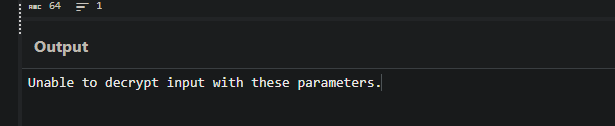
This happens after the server requests us to do a {"msg": "cmd", "d": {"cid": 6, "dt": 20, "np": "TheBoss@THUNDERNODE"}}. I don’t know what is a command_id 6 yet, but it made the server and client switch encryption keys.
Layer 3
I’ll modify the fake_server.py to send a {"msg": "cmd", "d": {"cid": 6, "dt": 20, "np": "TheBoss@THUNDERNODE"}} right after the first POST and server/client initialization to save runtime.
Obviously I’ll send the JSON encrypted using our AES key just like in the PCAP
As expected, just like the pcap when sending the client this command he waits for another packet by me (server), so I’ll trace the received encrypted json {"d": "96af87e8d976b4f384e572c2bcd278de3c156e1b072020636b8b139846759f851c44dbce097629f97b97caf55e235b64a99df0cfc6360487233394b94cc59b7ac6755088dc05e42d0f4f2937c4a20e1780755cb9dff9903abfe5a4b35baa432a36fe5645c2d93940598573d44476e5b4"} for any reads to see where it is decrypted:
The first AES decryption happens in do_program2, when looking for xrefs we see it’s called twice in do_program3, when putting a breakpoint in them we can get the second encryption key:
key = 84 8A 5E 07 12 03 CC 8E 8F 47 6C 25 A3 D1 82 5F D5 58 2A E7 AA AD D3 9B BA 70 C9 94 F9 75 7C d9 iv = 00 01 02 03 04 05 06 07 08 09 0a 0b 0c 0d 0e 0f
Nice!
1
2
3
4
5
6
{"msg": "cmd", "d": {"cid": 2, "line": "dir /b /s C:\\Users\\%USERNAME%\\Documents\\Studio_Masters_Vault\\"}}
{"op":[LONG DATA]}
{"msg": "cmd", "d": {"cid": 2, "line": "dir /b C:\\Users\\%USERNAME%\\Documents\\Studio_Masters_Vault\\The_Vault"}}
{"op":"Darkness_Acoustic.mp3\nrocknroll.zip\nThe_River_Outtakes.zip\n"}
{"msg": "cmd", "d": {"cid": 5, "lp": "C:\\Users\\TheBoss\\Documents\\Studio_Masters_Vault\\The_Vault\\rocknroll.zip"}}
{"msg": "cmd", "d": {"cid": 6, "dt": 25, "np": "miami"}}
rocknroll.zip is a file the server requested and the client gave it to him. It’s a zip that includes a flag.jpg!!!
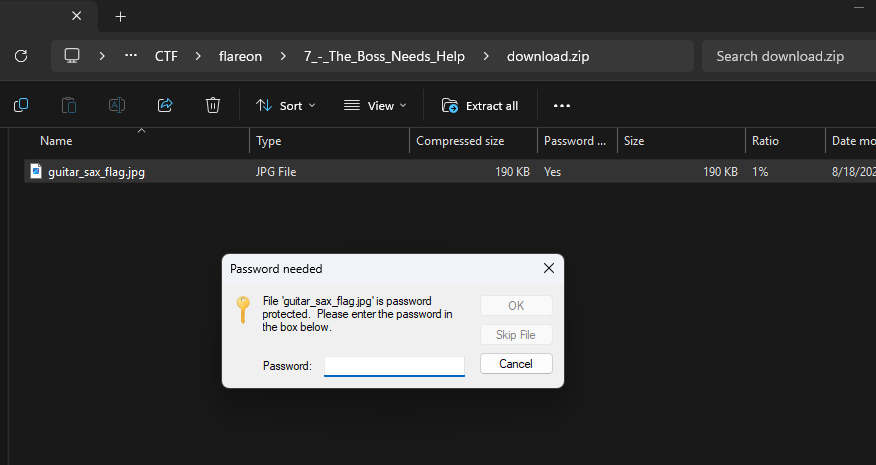
After that packet, a “miami” is sent and then another encryption key is exchanged.
Layer 4
Doing the same process, we extract the final AES key pair:
key=CF 92 3B E8 DA 52 63 11 13 75 2D 5B 32 CE F8 0B 9D 2B DA DA C8 51 30 81 1B EE 86 86 8F E9 72 04 iv=00 01 02 03 04 05 06 07 08 09 0a 0b 0c 0d 0e 0f
For the final time:
1
2
3
4
5
6
7
8
{"msg": "cmd", "d": {"cid": 2, "line": "dir /b /s C:\\Users\\%USERNAME%\\Documents\\Personal_Stuff"}}
{"op":"C:\\Users\\TheBoss\\Documents\\Personal_Stuff\\Financial\nC:\\Users\\TheBoss\\Documents\\Personal_Stuff\\passwords.txt\nC:\\Users\\TheBoss\\Documents\\Personal_Stuff\\Photos\nC:\\Users\\TheBoss\\Documents\\Personal_Stuff\\Financial\\tax_info_2023.pdf\nC:\\Users\\TheBoss\\Documents\\Personal_Stuff\\Photos\\Asbury_Park_sunset.jpg\nC:\\Users\\TheBoss\\Documents\\Personal_Stuff\\Photos\\old_guitar.jpg\n"}
{"msg": "cmd", "d": {"cid": 6, "dt": 1, "np": "miami"}}
{"msg": "cmd", "d": {"cid": 5, "lp": "C:\\Users\\TheBoss\\Documents\\Personal_Stuff\\passwords.txt"}}
{"fc":"RW1haWw6IEJvcm5Ub1J1biE3NQ0KQmFuazogVGhlUml2ZXIjIzE5ODANCkNvbXB1dGVyTG9naW46IFRoZUJvc3NNYW4NCk90aGVyOiBUaGVCaWdNQG4xOTQyIQ0K","sta":"success"}
{"msg": "cmd", "d": {"cid": 2, "line": "echo \"BRUUUUUUUUUUUUUUUUUUUCCCCCEEEEEEEEEEEEEEEEEEEEEEEEE\" > C:\\Users\\%USERNAME%\\Desktop\\thanks.txt"}}
{"msg": "cmd", "d": {"cid": 3}}
{"op":""}
And the value of passwords.txt:
1
2
3
4
Email: BornToRun!75
Bank: TheRiver##1980
ComputerLogin: TheBossMan
Other: TheBigM@n1942!
Inputting the password, for the last time 💪